Embed Azure AI Foundry Agents in Your App (Free v0 Template)
How to embed an Azure AI Foundry agent in your own app: the resources involved, the Entra ID auth flow, a working connect snippet, and a free v0 template.
Azure AI Foundry makes it easy to build an agent. Getting that agent out of the Foundry portal and into your own app is where people stall, because embedding requires understanding three things: which Azure resources are actually in play, how authentication works, and what the endpoint expects. None of it is hard once you see it laid out.
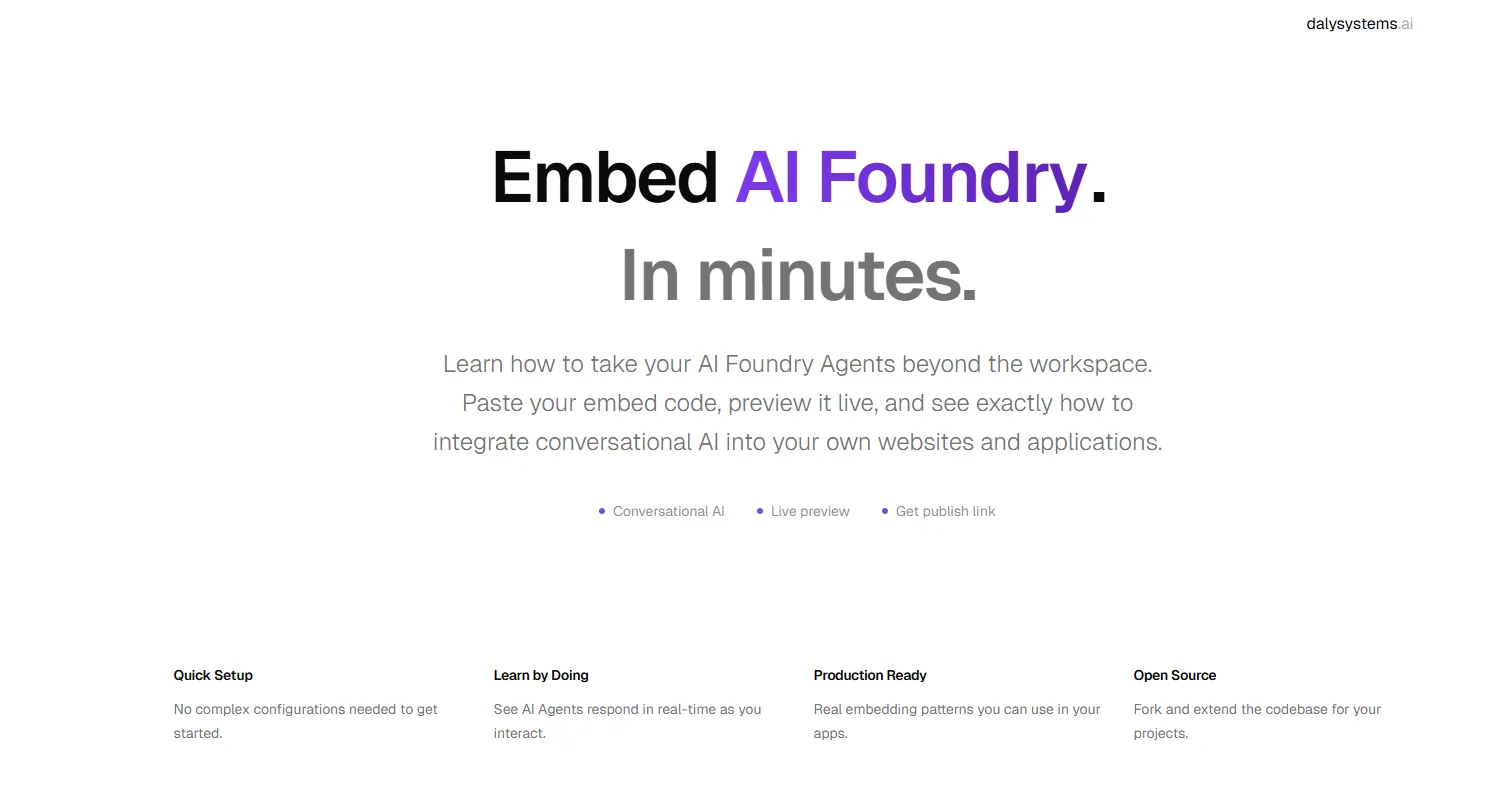
I built a free template on v0 (Vercel's AI-powered UI generation tool, where you describe an interface and it generates the working React code) that walks through the whole flow interactively. This article is the written version: the moving parts, the auth model, a working connect snippet, and the gotchas I hit along the way.
- 1 endpoint to copy. Everything hangs off the project endpoint:
https://<resource>.services.ai.azure.com/api/projects/<project>. Copy it once from the Foundry portal. - 2 calls per chat turn. Create a conversation once, then one responses call per turn. The conversation ID is the memory, same pattern as embedding a Fabric Data Agent.
- 0 API keys in the happy path. Foundry agents authenticate with Microsoft Entra ID tokens. Your app brings an identity (a signed-in dev, a managed identity, or a service principal), not a pasted key.
The Moving Parts
Before any code runs, four Azure resources have to exist. If a call fails, it is almost always because one of these is missing or you copied the wrong identifier:
- A Foundry resource and project: the project is the container everything else lives in, and its endpoint is the base URL for every API call you will make.
- A model deployment: the agent needs a deployed model (e.g.
gpt-5-mini) to run on. No deployment, no agent. - The agent itself: a named definition (model + instructions + tools) created in the portal or via the SDK. You reference it by name from your app.
- An identity with access: whoever calls the endpoint needs an Entra ID identity with a Foundry role (such as Azure AI User) on the project.
How Authentication Works
This is the part the Foundry portal hides from you. Every call to the agent endpoint carries an Entra ID bearer token scoped to https://ai.azure.com/.default. In code you never mint that token by hand. DefaultAzureCredential resolves an identity from wherever your code is running: your az login session on a laptop, a managed identity inside Azure, or service principal environment variables in any other backend.
If you have set up service principal auth for a Fabric Data Agent, this is the same client-credentials muscle memory: tenant ID, client ID, client secret, different scope. I covered that flow end to end in the service principal authentication article, and the architectural rule from the Fabric embedding walkthrough applies here unchanged: the credential lives on your backend, the browser only ever talks to your own proxy endpoint.
Connecting to an Agent: the Whole Flow in Code
With the current SDK (azure-ai-projects 2.x), a full chat turn against a published agent is short. The API is OpenAI-compatible: you create a conversation, then post responses against it. The conversation ID is the memory between turns.
The Foundry API surface has moved fast: the classic 1.x SDK used an assistants/threads/runs pattern, while the current 2.x SDK uses conversations and responses, and the two are incompatible. Verify the shape against the Microsoft Foundry SDK quickstart before shipping.
What the Template Actually Does
Reading the flow is one thing; poking at it is another. The template gives you a live playground for the exact steps above: enter your project details, test the connection, and see the agent respond before you write a line of production code.
Concretely, it:
- Validates your configuration: checks the project endpoint shape and agent reference before any call is made, so typos fail fast with a useful message
- Runs a live chat against your agent: the real conversation → response loop, with the conversation ID handled for you
- Shows the embedding pattern: the same proxy-backed structure you would ship, so what you learn in the playground transfers directly to your app
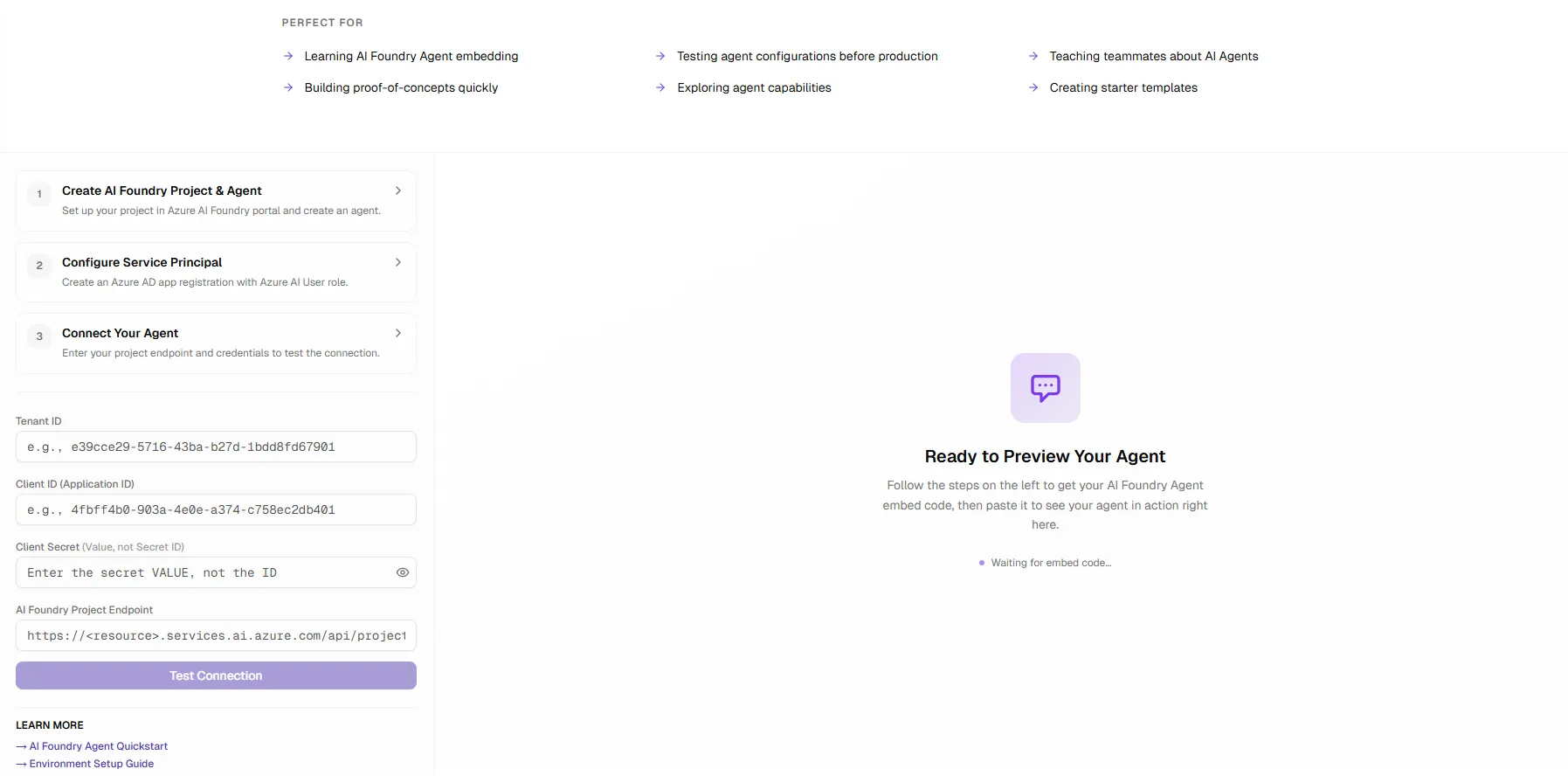
Setup Interface
The interface walks you through the setup step-by-step, from creating your AI Foundry project to wiring up the identity that will call it.
Configuration Playground
Test and validate your embedding parameters in real time. The playground gives immediate feedback on your configuration before you commit anything to code.
Use throwaway credentials in browser demos
Any browser-hosted playground that accepts credentials (this one included) breaks the "secrets never reach the browser" rule by design. Test with a disposable identity scoped to a non-production project only, and rotate or delete it when you are done. Production traffic goes through your own backend proxy, where the credential stays server-side.
The Gotcha That Cost Me an Afternoon
Two versions of the Foundry API exist side by side, and mixing their documentation produces errors that look like auth failures but are not. If your calls 404 or the SDK method you copied from a blog post does not exist, check these before touching your credentials:
Classic vs. new API
Azure AI Projects 1.x (classic) speaks assistants/threads/runs; 2.x (Foundry projects) speaks conversations/responses. Snippets from one do not run against the other. Pin the SDK major version and read the matching docs.
Wrong token scope
Tokens for the agent endpoint are scoped to https://ai.azure.com/.default. A token minted for another Azure scope is a valid token that still gets you a 401. The error message will not tell you why.
Identity without a role
Authenticating is not authorization. The calling identity needs a role like Azure AI User on the project; without it, calls fail even though the token itself is perfectly good.
Tokens expire, credentials refresh
Access tokens live roughly an hour. Acquire per request through the credential object (it caches and refreshes for you) rather than storing a token that will quietly go stale mid-demo.
Related Reading
- Service Principal Authentication for Fabric Data Agents: the same client-credentials flow, applied to Fabric
- Embedding a Fabric Data Agent in Your Own App: the sibling walkthrough: conversation memory and the backend-proxy pattern in full
- Foundry Agent Service overview: Microsoft Learn documentation on agents, tools, and the service architecture